 ElectrifiedExperts
Deciding between whole home vs critical loads backup comes down to one honest question: what do you actually need running when the power is out? Critical-loads backup keeps a handful of circuits alive (fridge, lights, internet, the furnace fan) on a single battery. Whole-home backup keeps the entire panel energized, including big draws like central AC and the electric dryer, but it usually needs two or three batteries plus some load management. This guide covers the real tradeoffs, what each approach costs, and how owners on the forums actually made the call.
Whole home vs critical loads backup: what’s the difference?
Critical-loads backup wires a small subpanel behind your battery, so only chosen circuits stay powered during an outage. Whole-home backup puts a gateway ahead of your main panel, so every circuit can run. Whole-home is more comfortable and simpler to live with, but it costs more and needs more battery capacity to handle large loads.
The mechanical difference matters. In a critical-loads setup, an electrician moves a specific set of breakers (fridge, some lights, a few outlets, the internet router, often the furnace or boiler control) into a separate backup subpanel. Everything else stays on the grid and goes dark during an outage. In a whole-home setup, the battery’s gateway sits between the utility meter and your main panel, so the entire house is technically backed up. Whether the batteries can actually carry the whole house is a separate question, and it is where most people get tripped up.
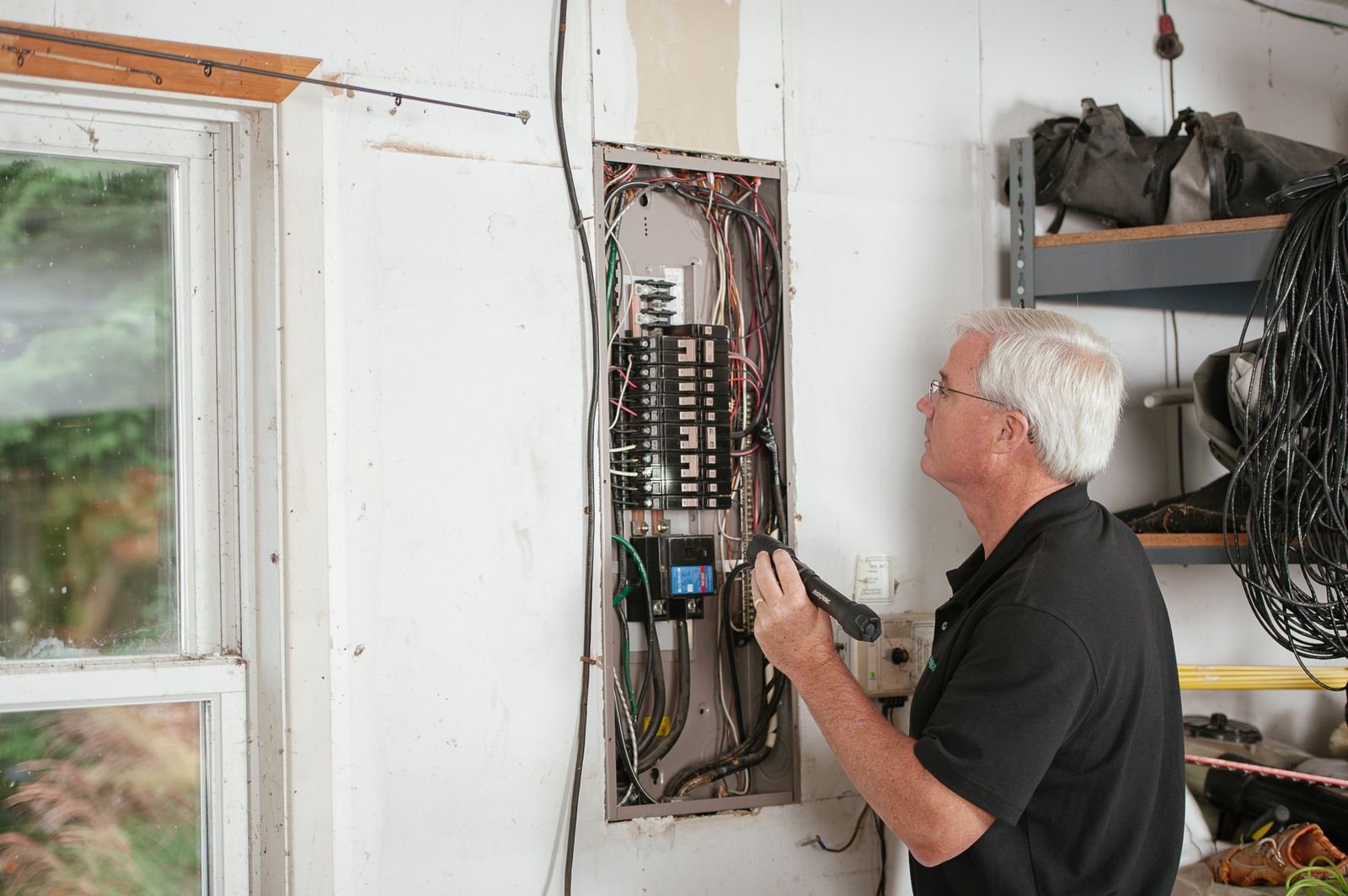
What goes on a critical-loads subpanel?
A typical critical-loads list is short and cheap to run:
- Refrigerator and chest freezer
- A few lighting circuits
- Internet modem, router, and a couple of outlets for phones and laptops
- Furnace blower or boiler controls (heat, in most homes, is gas but needs electricity to run the fan or pump)
- Well pump, if you are on a well
- A garage door opener or a medical device circuit
Add those up and you are usually under 2 kW of steady draw, which one 13.5 kWh battery like a Tesla Powerwall 3 can run for the better part of a day. That is the whole appeal of critical-loads: it is honest about what you truly need and it fits on the smallest, cheapest system.
Why large loads decide everything
The reason whole-home backup gets expensive is not the number of circuits. It is a few specific appliances that pull a lot of power at once. As one owner put it plainly on Tesla Motors Club:
“It doesn’t really matter how full your panel is. You could have one circuit that draws a lot of power and need three powerwalls or you could have 20 circuits that just draw a little bit of power and be fine with one powerwall.”
The usual suspects are central air conditioning, an electric resistance dryer, an electric range or oven, an EV charger, a heat pump, and a deep-well pump. A single Powerwall 3 puts out about 11.5 kW continuous, and older Powerwall 2 units put out about 5 kW each. A central AC compressor can spike hard on startup, and that inrush is what forces people to add batteries or add hardware.
Air conditioning is the classic headache. One owner ran into a warranty wall trying to bring both AC units onto backup:
“I would need to get soft-starts to include both AC condensers into the backup solution. And my AC manufacturer said my compressor warranty would be voided if I added soft starts.”
EV charging is the other one. Even owners who set up whole-home backup usually keep their car charger off the backup, or simply agree not to charge during an outage. Two forum owners said it directly:
“If you have an EV charging stations consider not putting them behind the backup.”
If you want a full rundown on running the compressor specifically, our guide on whether a home battery can run AC during an outage gets into soft-starts and sizing.
How many batteries does each approach need?
Rough field numbers, assuming 13.5 kWh batteries:
- Critical loads only (fridge, lights, internet, furnace fan): one battery is usually plenty for a full day or more.
- Whole home, no AC (everything except the compressor and EV): one to two batteries, depending on how you behave during the outage.
- Whole home with central AC: two to three batteries, and often a soft-start on the compressor.
- Whole home with heat pump heating in a cold climate: three or more, because the heat pump runs long and hard.
This is the same math behind our post on how many Powerwalls you need. Capacity (kWh) sets how long you last. Power output (kW) sets what you can turn on at the same moment. You have to pass both tests, and the second one is what pushes people from one battery to three.

The middle path: smart panels and load management
You do not have to choose between a bare-bones subpanel and a three-battery whole-home rig. Load management hardware lets you back up the entire house on fewer batteries by automatically shedding the big loads the instant the grid drops, then letting them back on when there is headroom.
Two common tools do this. A smart panel like SPAN replaces your main panel and controls every circuit individually. Tesla’s own gateway and Backup Switch can also shed loads. A device like the Lumin sits in front of specific circuits. The idea is the same: the whole house looks backed up, but the AC or dryer only runs when the battery can spare the power.
One owner described this hybrid setup running through a Lumin controller:
“I have a whole house backup, but the circuits I selected to go through the Lumin are then configurable both on time schedule, manual disconnect via the App or either protected / disconnected if the Grid goes out.”
A homeowner on the Mike Holt electrician forum summed up the smart-panel appeal as the ability to “pre-program which circuits to load shed in a power outage.” Mike Holt Forum. That is exactly the behavior that lets one or two batteries feel like whole-home backup most of the time.
The catch is cost and complexity. A SPAN panel adds several thousand dollars, and any smart device is one more thing that can need a firmware update or a service call. For some people that is worth it. For others, a simple critical-loads subpanel with no software is the more reliable choice.
Cost tradeoffs, plainly
Rough 2026 installed pricing to frame the decision:
- Critical-loads, one battery: the subpanel itself is a modest electrician cost on top of one battery. A single Powerwall 3 runs roughly $13,000 to $16,500 installed.
- Whole-home, two batteries: double the battery cost, plus the gateway. This is the common two-Powerwall configuration.
- Whole-home with smart panel: add a few thousand for the SPAN or Lumin hardware and its wiring.
Remember the tax picture changed. The 30% Residential Clean Energy Credit for homeowner-owned batteries ended December 31, 2025, so systems installed in 2026 no longer get that federal break. That makes right-sizing more important than it was a year ago, because you are paying full freight for every extra battery.
How to size honestly (and avoid over-buying)
The mistake is scoping for a movie-night fantasy instead of a real outage. A short, honest process:
- Write down what genuinely has to run: food, heat or cooling, internet, phone charging, medical gear.
- Separate the big three: AC, EV charger, electric dryer. Decide honestly whether you will run them mid-outage or just wait.
- Check your appliance nameplates for the electric ones (range, dryer, water heater) since those are the capacity hogs.
- If you want the comfort of whole-home but not the battery count, price a smart panel against a third battery.
- Plan for the future. If you might add an EV charger or heat pump later, tell your installer now so the design leaves room.
One reason people lean toward whole-home even when critical-loads would do is that moving circuits later is a pain. As one owner said, “I didn’t want any circuits left upstream of the gateway after I saw what a huge ordeal it was to move them.” Tesla Motors Club. If you think your needs will grow, it can be cheaper to wire for whole-home once and add batteries later than to redo the panel work twice. Our guide on whether you can add more Powerwalls later covers how that expansion actually goes.
So which should you pick?
Pick critical-loads if your goal is keeping food cold, lights on, and the internet alive through the occasional outage, and you are fine sweating out a summer afternoon. It is the cheapest, simplest, most reliable option, and one battery covers it.
Pick whole-home if you want the outage to feel like nothing happened, you have the budget for two or three batteries, and you are willing to add a soft-start or a smart panel to tame the AC. Pick the smart-panel middle path if you want that whole-home feel on one or two batteries and you do not mind a bit more hardware in the mix.
FAQ
Can one battery back up my whole house?
Sometimes, if your big loads are gas and you do not run central AC or an EV charger during the outage. A single Powerwall 3 puts out about 11.5 kW, which many homes can live within if they avoid stacking large loads. Add central AC and you usually need two or more.
Is critical-loads backup cheaper than whole-home?
Yes, usually meaningfully so. Critical-loads fits on one battery and a small subpanel. Whole-home typically means two or three batteries plus a gateway, and possibly a smart panel or soft-start. The battery count is the biggest driver of the price gap.
Do I need a soft-start for my AC?
Often, if you want central AC on battery backup. A soft-start reduces the compressor’s startup surge so the battery can handle it. Check your compressor warranty first, though, since at least one manufacturer voids coverage if a soft-start is added.
What is a smart panel and do I need one?
A smart panel like SPAN replaces your main panel and controls each circuit, automatically shedding big loads during an outage so fewer batteries can back up more of the house. You do not need one, but it is a good middle path if you want whole-home comfort without a third battery.
Should I put my EV charger on backup?
Most owners do not. Charging a car draws too much to run comfortably during an outage on typical residential batteries. It is common to leave the charger off the backup side entirely, or to simply not charge until the grid returns.
Trey Linder writes about EVs, home batteries, and rooftop solar for homeowners at Electrified Experts.