 ElectrifiedExperts
Short answer: yes, you can usually add more Powerwalls later, but the details will surprise you. If you’re asking “can I add more Powerwalls later” before signing a contract, the honest reality is that it depends heavily on which generation you own. A Powerwall 3 system can grow with expansion units or follower batteries. A Powerwall 2 system is a different story, and mixing the two on one Gateway isn’t something Tesla lets installers do freely today. Here’s what actually happens when owners try to expand.

Can I add more Powerwalls later?
Yes, in most cases you can add capacity later, but only within the same product family. A Powerwall 3 accepts up to three expansion units and can pair with additional Powerwall 3 units. A Powerwall 2 system can add more Powerwall 2 units, though those are winding down. What you generally cannot do is bolt a Powerwall 3 onto an existing Powerwall 2 Gateway.
Why the generation matters so much
Powerwall 2 and Powerwall 3 are built differently. The PW2 is a battery that talks to a separate Backup Gateway. The PW3 has the inverter built in and acts as its own hub. Because of that, the two generations don’t communicate on the same system. One owner on Tesla Motors Club put the technical problem plainly:
“It’s quite possible it’s also the gateway that is not compatible. Powerwall 2’s and Powerwall 3’s talk in a different language presently.”
Tesla has said cross-generation compatibility is on the roadmap, and it started pushing updates to some markets. But as of 2026, if you own a PW2 and want more storage, the practical path is another PW2 while stock lasts, or a fully separate PW3 install with its own Gateway. That second-Gateway route works, but it costs more and eats more wall space.
The Powerwall 2 vs Powerwall 3 compatibility trap
This is where people get burned. Someone buys a single PW2, tells the installer “I’ll add another next year,” and then next year arrives with PW2 supply drying up and PW3 as the only real option. One homeowner described exactly that spot:
“The only option now is a Powerwall 3 which isn’t compatible apparently with my two year old system.”
So the trap is timing. If you plan to expand and you’re buying today, a Powerwall 3 is the safer foundation because its expansion path is real and documented. If you already have a PW2, know that your cheapest expansion is another PW2, and that window is closing.
What a Powerwall 3 expansion unit actually is
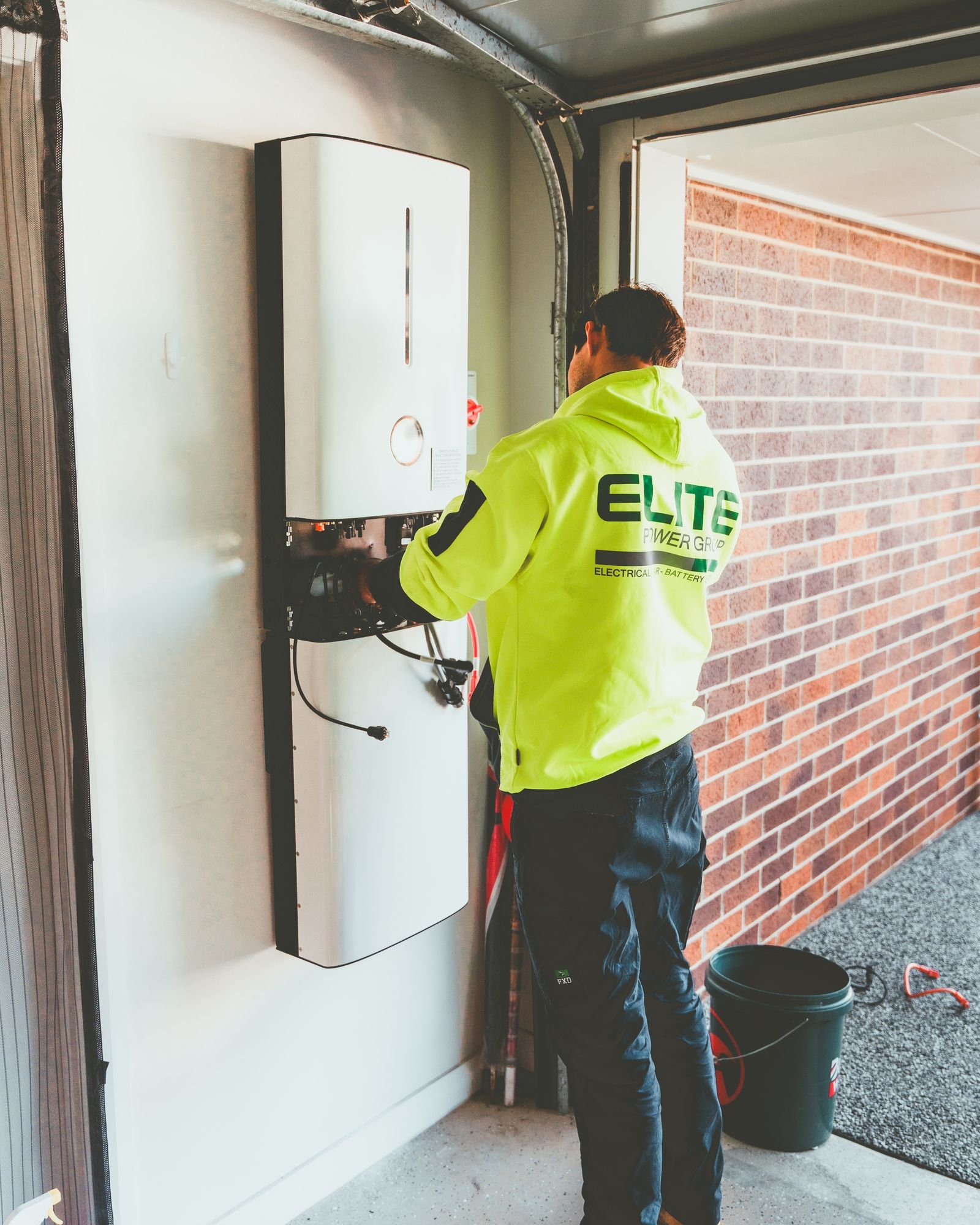
Tesla’s expansion unit is not a second full Powerwall. Per Tesla’s own installer documentation, an expansion unit “does not include an inverter; it is only additional storage.” It piggybacks on the inverter inside your leader Powerwall 3. That’s why it’s cheaper. Here’s the shape of it:
- A single Powerwall 3 gives roughly 13.5 kWh usable and 11.5 kW of continuous output (SmartEnergyUSA).
- Each expansion unit adds about 13.5 kWh of storage with no added inverter power.
- Up to three expansion units can connect to one leader Powerwall 3.
- A full system tops out at seven units total, up to four Powerwall 3 units plus up to three expansion units (Tesla Energy Library).
- Only Powerwall 3 units with part number 1707000-xx-J or greater accept expansion units, so ask your installer to confirm the hardware revision.
One long-time forum member summed up the tradeoff between the two add-on routes:
“PW2 addition is simplest, but PW3 with expansion unit is best if cost not a concern.”
Does your Gateway and panel have room?
Capacity to expand isn’t only about the batteries. Two other things decide whether an add-on is a quick job or a rewire.
First, the Gateway. A PW2 Backup Gateway can manage a set number of Powerwalls, and if you’re adding beyond what it supports, you’re into new hardware. Second, your main panel and available breaker space. More batteries can mean a heavier backup load, more current, and sometimes a panel upgrade or a load calculation redo. If your electrical panel is already full, that add-on quote climbs fast.
If you’re still deciding how much storage you need in the first place, our guide on how many Powerwalls you actually need walks through sizing before you commit to one unit or three.
What does it cost to add a Powerwall later?
Adding later almost always costs more per kWh than buying it all at once. You pay a second trip charge, permits, inspection, and often another day of labor. A fresh Powerwall 3 installed runs roughly $13,000 to $16,500 in 2026 (SmartEnergyUSA). An expansion unit is cheaper because it skips the inverter. Third-party installers have quoted the expansion pack around $4,000 to $5,000 in hardware before install, roughly a third of a full unit (NRG Clean Power).
There’s also a tax angle that changed recently. The 30% Residential Clean Energy Credit under IRS Section 25D, which covered homeowner-owned batteries, ended December 31, 2025 (SolarInsure). So a battery you add in 2026 doesn’t get the 30% federal write-off that an earlier install might have. That shifts the math toward buying what you need now rather than spreading purchases across years.
Buy it all up front, or add as you go?
The forum consensus leans hard toward buying up front if you’re confident you’ll want the capacity. The most repeated warning from experienced owners is about cost creep. As one Tesla Motors Club moderator advised:
“buy as much as you can now, dont plan on adding onto it later since that generally is waaay more expensive than people think.”
That said, adding later isn’t always wrong. Here’s how I’d think about it.
- Buy up front if: you know your loads, you want whole-home backup, you’re near a compatibility cutoff (like the PW2/PW3 gap), or a tax credit is expiring.
- Add later if: your budget is tight now, your usage might change, you’re covering critical loads only, or you want to see one winter of real data before sizing up.
- Definitely plan ahead if: you’re buying a PW3 and might expand. Confirm the hardware revision supports expansion units and leave physical wall space for them.
Whether the whole thing pencils out is a separate question. Our take on whether home batteries are worth it covers the payback side before you double down on capacity.
Non-Tesla brands that expand more gracefully
Modularity is where several competitors quietly beat Tesla. If “add more later” is your top priority, these brands were designed around it.
Enphase IQ Batteries are physically smaller units that stack in increments. You start with one or two and add more without swapping a central inverter, since each battery has its own microinverters built in. That granularity means you can grow in smaller, cheaper steps than a full Powerwall.
FranklinWH’s aPower units are designed to gang together under one aGate controller, so adding a second or third battery is a planned-for move rather than a workaround. For homeowners who genuinely expect to expand, that architecture avoids the second-Gateway problem PW2 owners run into.
The catch is that each ecosystem locks you in. Once you’re on Enphase or FranklinWH, your expansions come from that brand, same as Tesla. If you’re weighing the ecosystems against each other, our comparison of the best home battery brands lays out where each one fits.
Frequently asked questions
Can I add a Powerwall 3 to my existing Powerwall 2?
Not on the same Gateway, at least not in 2026. The two generations don’t communicate together yet. You’d need a separate Powerwall 3 install with its own Gateway, or you add another Powerwall 2 while supply lasts. Tesla has signaled cross-generation compatibility is coming, but it isn’t the norm today.
How many Powerwalls can one system hold?
A Powerwall 3 system supports up to seven units total: as many as four Powerwall 3 units combined with up to three expansion units. Each leader Powerwall 3 accepts up to three expansions. Most homes never approach that ceiling, but the headroom is there for large loads or full-home backup.
Is an expansion unit the same as a second Powerwall?
No. An expansion unit is storage only, with no inverter inside, so it relies on the leader Powerwall 3’s inverter for power output. It adds roughly 13.5 kWh of capacity but no extra continuous kW. That’s why it costs meaningfully less than a full second unit.
Will adding a Powerwall later cost more than buying two now?
Usually, yes. A later add-on brings its own permit, inspection, and labor trip, and you’ve likely missed any tax credit tied to the original install. Experienced owners consistently report that expanding later runs more than they expected. If you’re fairly sure you’ll want the capacity, buying together is cheaper per kWh.
Do I need a panel upgrade to add a battery?
Sometimes. More batteries can raise your backup load and current, and if your main panel or breaker space is already maxed out, an upgrade or a load recalculation may be required. Ask your installer to check panel capacity before you assume the add-on is plug and play.
Trey Linder writes about EVs, home batteries, and rooftop solar for homeowners at Electrified Experts.